
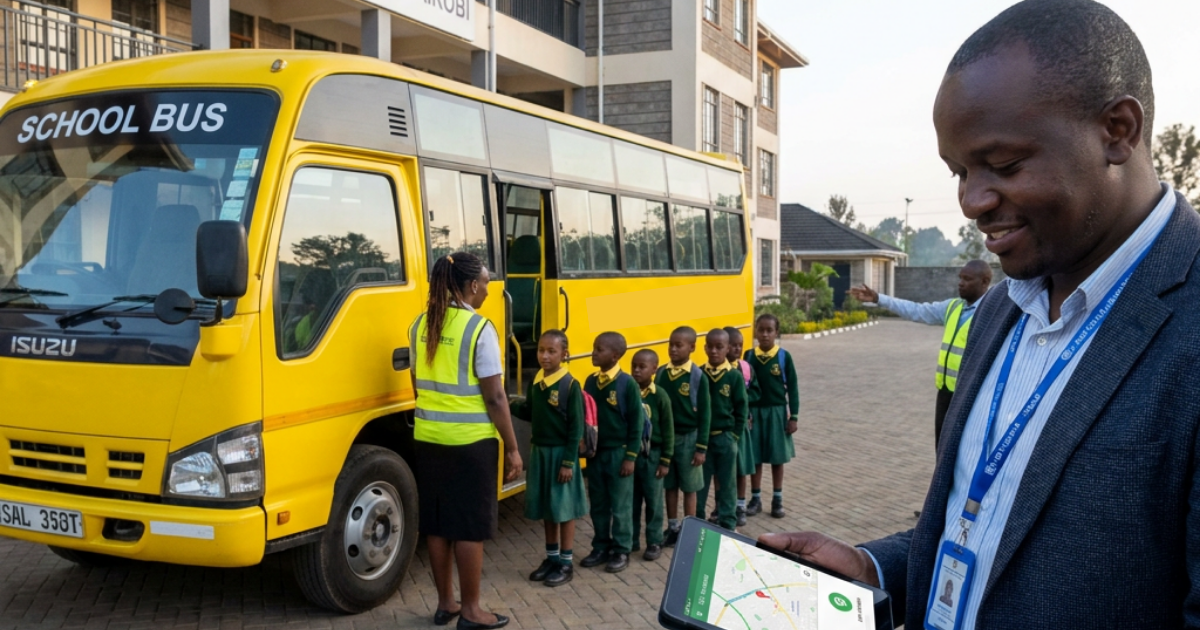
It’s 7:15 AM. A bus breaks down on Route 4, and parents are refreshing an app that shows nothing.
For a school administrator, that moment, not the sales pitch, not the glossy brochure, is what a transport system decision really comes down to. You’re not just signing off on software or a fleet contract. You’re accepting responsibility for hundreds of children’s safety twice a day, in traffic, in changing weather, and in the small emergencies that never make it into demo.
And the same uncertainty can appear again at 3 PM: a parent is waiting at the gate, a bus is delayed, and no one can immediately confirm whether their child boarded the right vehicle.
Morning or afternoon, the question is the same: when something changes, can your school see what is happening and act on it?
Choosing the right system isn’t about ticking boxes on a feature list; every vendor will claim to check every box. It’s about knowing which features actually solve the problems that keep you up at night and how to tell, before you sign anything, whether a vendor can really deliver.
1. Real-Time GPS Tracking and Live ETAs
For many parents, one of the biggest frustrations is simply not knowing where the bus is or when it will arrive.
A good transport system should give administrators live visibility into the fleet while giving parents relevant information about their child’s bus. That visibility becomes particularly valuable when traffic, weather, road conditions, or an unexpected delay disrupts the normal schedule.
Look for features such as:
- Live bus locations
- Estimated arrival times
- Route visibility
- Geofencing around designated stops or school locations
- Alerts when a bus approaches or reaches a stop
- Notifications when a bus departs
The goal isn’t simply to put a bus on a map. It’s to turn an uncertain journey into something the school and parents can actually see and manage.
How to tell if a vendor is overselling this: ask to see the tracking system live, not just a staged demonstration. Ask how frequently the location updates, what happens when connectivity is poor, and how the system handles areas where GPS or mobile coverage may be inconsistent.
A system that updates every 30 seconds may provide a very different experience from one that updates every five minutes, even though both vendors might simply describe their products as offering “real-time tracking”.
2. Student Boarding and Drop-Off Verification
Knowing where the bus is doesn’t necessarily tell you who is on it.
A bus can reach the correct stop, follow its planned route, and still leave the school with an unanswered question: Did the right child board? Did they get off at the expected stop? Who was recorded as being on the vehicle during that journey?
This is where student-level tracking and attendance features become important.
RFID cards, keyfobs, barcodes, or similar identification technologies can create a digital record of student movement. Instead of relying entirely on a handwritten attendance sheet, administrators can have a time-stamped record of when a student was recorded as boarding or leaving the bus.
For example, if a student accidentally boards the wrong bus, a system with student identification can help the school identify the discrepancy much sooner than a parent discovering it later.
Administrators should ask:
- How is a student checked onto the bus?
- Is boarding recorded automatically?
- Can the system record student drop-offs?
- Can staff see which students are currently associated with a particular bus?
- What happens if a student changes buses?
- Can historical boarding records be retrieved when needed?
This distinction is important:
GPS tells you where the bus is. Student verification helps tell you who is on it.
A modern school transport operation should be able to address both questions.
A fair test for this claim: don’t settle for a vendor simply showing you a scanning device or attendance screen. Ask them to demonstrate the complete journey of one student, from boarding to drop-off, and show you exactly what administrators can see afterward. For a look at how this works in practice, see the Bunifu Go Bus Assistant/Agent User Guide.
Boarding records also raise a fair follow-up question: what happens to that data once it’s collected? Our Data Collection and Usage document covers this.
3. Safety, Driver Monitoring and Incident Response
Student safety is non-negotiable.
Technology cannot replace proper driver recruitment, licensing, vehicle maintenance, or school safety procedures. But it can give administrators greater visibility into what happens during a journey.
Depending on the system, useful capabilities may include:
- Speeding alerts
- Harsh-braking or acceleration alerts
- Route deviation notifications
- Unscheduled or unusual stops
- Emergency or panic alerts
- Driver activity records
- Historical trip information
- Incident reporting
But don’t stop at asking whether a system has an emergency button.
Ask what happens after it is pressed.
Who receives the alert?
How quickly is it delivered?
Can the school immediately see the vehicle’s location?
Can staff identify the affected route and students?
Can the incident be reviewed afterwards?
Push on this in the demo: ask the vendor to walk through the entire emergency workflow. Don’t just ask whether an alert exists. Ask them to show you what the administrator actually sees when an alert is triggered and what information is available to help the school respond.
A useful system should reduce the gap between something going wrong and the school knowing about it.
4. Route Optimization and Flexible Route Management
School routes rarely stay the same.
A new student joins the school. A family moves house. A student is absent. A road is temporarily closed. Enrolment changes and a route that worked perfectly last term suddenly needs to be adjusted.
Manual route planning can turn every small change into another administrative task.
Look for software that can help optimize routes based on student locations, pickup points, bus capacity, and journey times. But just as important, look at how easily your team can make changes once the routes are already operating.
Imagine a new student joins halfway through the term.
Can an administrator add the student’s address and identify the most suitable route?
Can the student be assigned without rebuilding the entire transport plan?
Will the relevant staff receive the update?
Can the route be adjusted if a road suddenly becomes inaccessible?
How to tell if a vendor is overselling this: bring your own messy scenario to the demonstration. Give the vendor a student who has moved mid-term, a temporary road closure, or a changed pickup point and ask them to modify the route live.
Optimization tools often look impressive when working with clean sample data. The real test is what happens when the data changes.
5. Communication Tools
Delays happen. Buses encounter traffic. Routes change. A student may not be at the expected pickup point.
What separates a manageable disruption from transport chaos is often how quickly and clearly the right people are informed.
A transport system should make it easier to communicate important changes without requiring administrators to call dozens of parents individually.
Look for automated notifications for:
- Delays
- Route changes
- Bus arrivals and departures
- Student boarding
- Student drop-off
- Missed or changed pickups
- Other important transport events
There should also be a clear communication channel between parents and the school’s transport team.
If a parent reports that a child hasn’t arrived, staff shouldn’t have to begin with a chain of phone calls trying to establish where the driver is, which route the bus is on, and whether the student boarded.
The purpose of communication technology isn’t simply to send more notifications.
It’s to make sure the right information reaches the right person at the right time.
One way to check this: ask the vendor to demonstrate a delay scenario. Change a bus’s expected arrival time and watch what happens. Who gets notified? How quickly? What information does the parent receive? Can administrators see whether the notification was triggered? The Bunifu Go Parent App Manual shows what parents actually see on their end.
6. Ease of Use and Administrative Simplicity
The most powerful system in the world is useless if your staff can’t operate it confidently under pressure.
Think about 7:00 AM when several buses are leaving at once. Your transport administrator shouldn’t need a manual beside the computer to work out why a bus has stopped or how to find a student’s transport record.
Prioritize:
- A clear dashboard
- Simple navigation
- Easy student management
- Straightforward route management
- Accessible reports
- Historical records
- Minimal training requirements
- Reliable access for authorized staff
Integration also matters.
If your school already uses a student information system, ask whether transport information can be connected to it. Re-entering student information across disconnected platforms creates unnecessary work and increases the possibility of errors.
A fair test for this claim: don’t let the vendor drive the entire demonstration. Hand the controls to someone from your own team and ask them to perform a basic task: adding a student, changing a pickup point, or finding a previous trip.
If your staff struggle to navigate the system during a calm demo, imagine using it when three buses are late on a Monday morning.
7. Cost Transparency and Scalability
Finally, look beyond the headline price.
Ask vendors exactly what you are paying for and how that cost changes as your transport operation grows.
Consider:
- Is pricing based on students, buses, users, or routes?
- Are hardware costs included?
- Are installation fees separate?
- Are SMS or notification charges included?
- Are reporting features included?
- What support is included?
- What happens when you add more buses?
- What happens when enrollment increases?
Before signing, understand how the cost changes as your school grows. A solution that fits your current budget should remain financially practical as you add students, buses, or routes.
Scalability also means operational simplicity. Adding more students or buses shouldn’t make the system increasingly difficult for your staff to manage.
Push on this before you sign: ask for the total cost of ownership at your current enrollment, then ask the vendor to model the same cost at a larger enrollment. Make sure you understand what is included before comparing one vendor’s price against another’s. The Bunifu Go Brochure outlines our own pricing structure.
What This Means for Kenyan Schools
For Kenyan schools, these considerations have to work within the realities of daily transport.
Traffic can make journey times unpredictable. Pickup arrangements can change as families move or schedules shift. Schools may coordinate multiple buses and routes, while parents expect timely information when something changes.
That makes it important to evaluate transport technology against the environment in which it will actually be used.
Ask:
- Can the system maintain useful visibility when connectivity varies?
- Can routes be changed quickly when circumstances on the ground change?
- Can parents receive timely information when buses are delayed?
- Can the school account for students individually rather than only tracking vehicles?
- Can staff retrieve transport records when they need to investigate an incident?
- Does the system support the school’s operational and safety requirements?
The right technology should adapt to the school’s transport operation, not force the school to adapt its processes around the software.
Questions to Ask Before You Sign
When you sit down for a vendor demonstration, come prepared with questions that cut through the sales pitch.
Ask:
- What happens, step by step, if a bus breaks down halfway through a route?
- How quickly can parents and staff see a location update, and how does the system handle poor connectivity?
- Can you show us which students are currently recorded as being on a particular bus?
- Can you demonstrate what happens when a student boards and when they are recorded as getting off?
- When a driver triggers an emergency alert, who receives it, how quickly is it delivered, and what happens next?
- Can our team make a route change without vendor support?
- Can you demonstrate a route change using our own real-world scenario?
- How much training will our staff need?
- What is the complete cost at our current enrollment, and what happens if that enrollment doubles?
Most importantly, ask the vendor to show you rather than simply tell you.
A live demonstration of a breakdown, route change, missed pickup, emergency alert, or student boarding scenario can reveal far more than a presentation full of polished screenshots.
What This Comes Down To
Choosing a school transport system isn’t a procurement task to delegate and forget. It’s a decision about how your school will manage visibility, student accountability, safety, communication, and disruptions every day.
The right system should help your team answer more than “Where is the bus?”
It should help you answer:
Where is the bus?
Which students are on it?
Did the right student get off?
What happens when something goes wrong?
Who needs to know?
And most importantly:
Can our team act on that information quickly?
The vendors worth considering are the ones willing to demonstrate those answers with real scenarios, not simply describe them in a brochure.
At Bunifu Go, we built our platform around these same priorities: real-time visibility, student accountability, safety checkpoints, and a dashboard designed to remain useful when the day gets chaotic. If you’re evaluating transport systems, don’t just ask a vendor what the software can do; bring us your hardest scenario, and we’ll show you how the system handles it.